Integrations
Connect CI pipelines so Run and Rerun can start builds on your providers from Tracera.
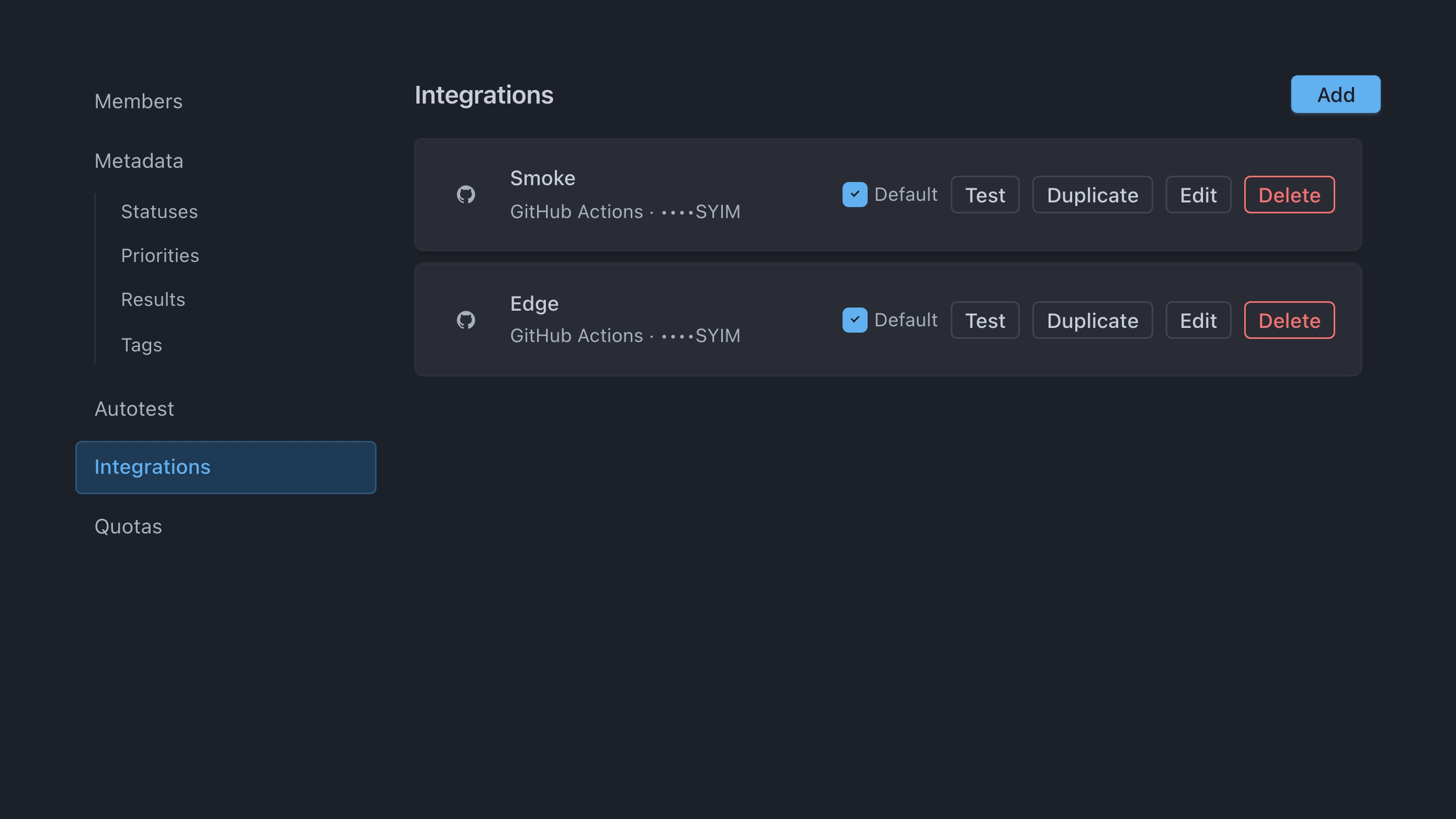
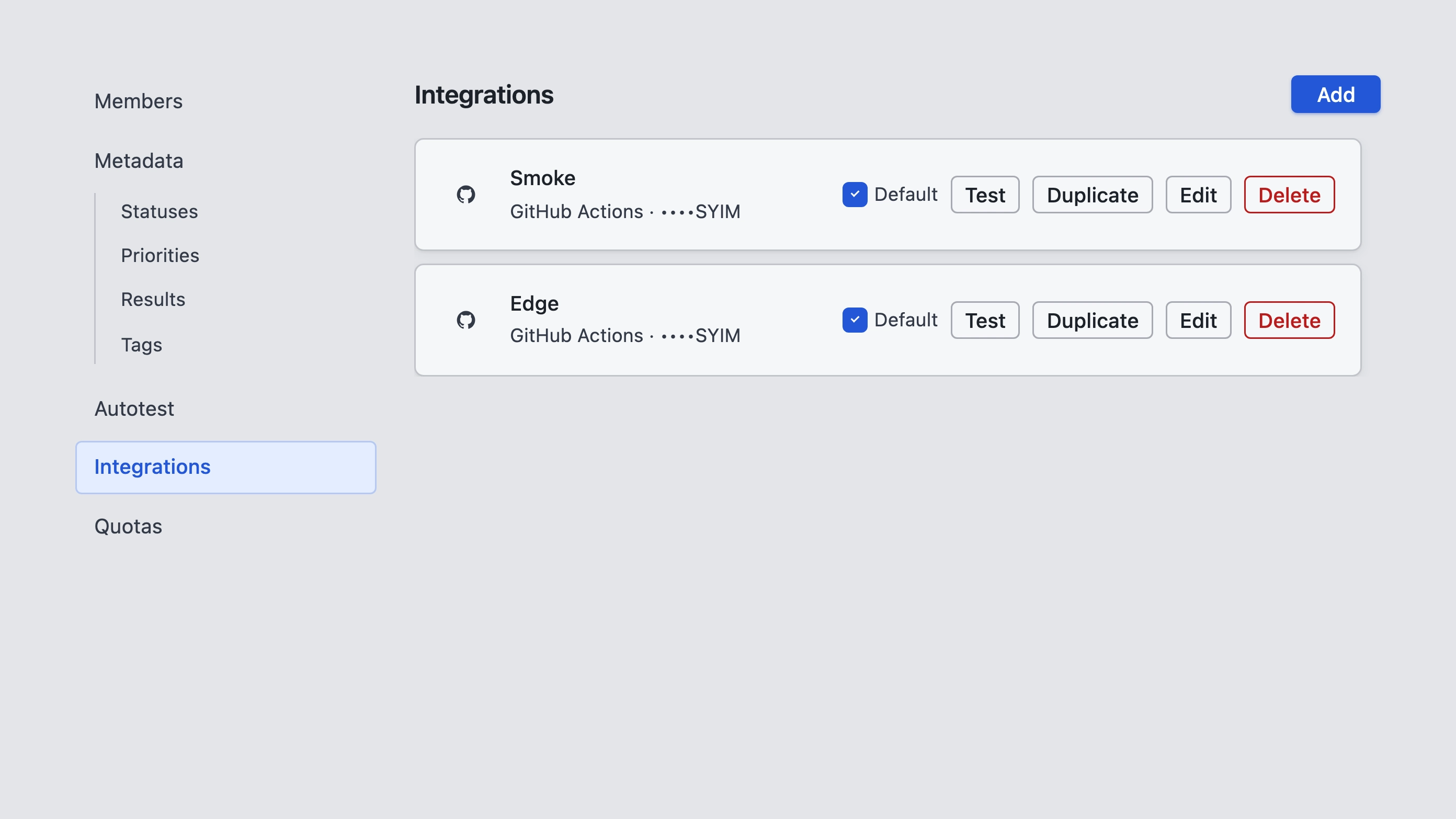
Before you start
- Open Project settings → Integrations (you need project settings access).
- Store a project Autotest token in your CI secrets — see Tokens. Tracera does not send that token when it starts a pipeline.
- Use an adapter that reports with
TRACERA_TEST_RUN_IDset — see Adapters.
How it works
- Under Integrations, choose Add and pick a provider.
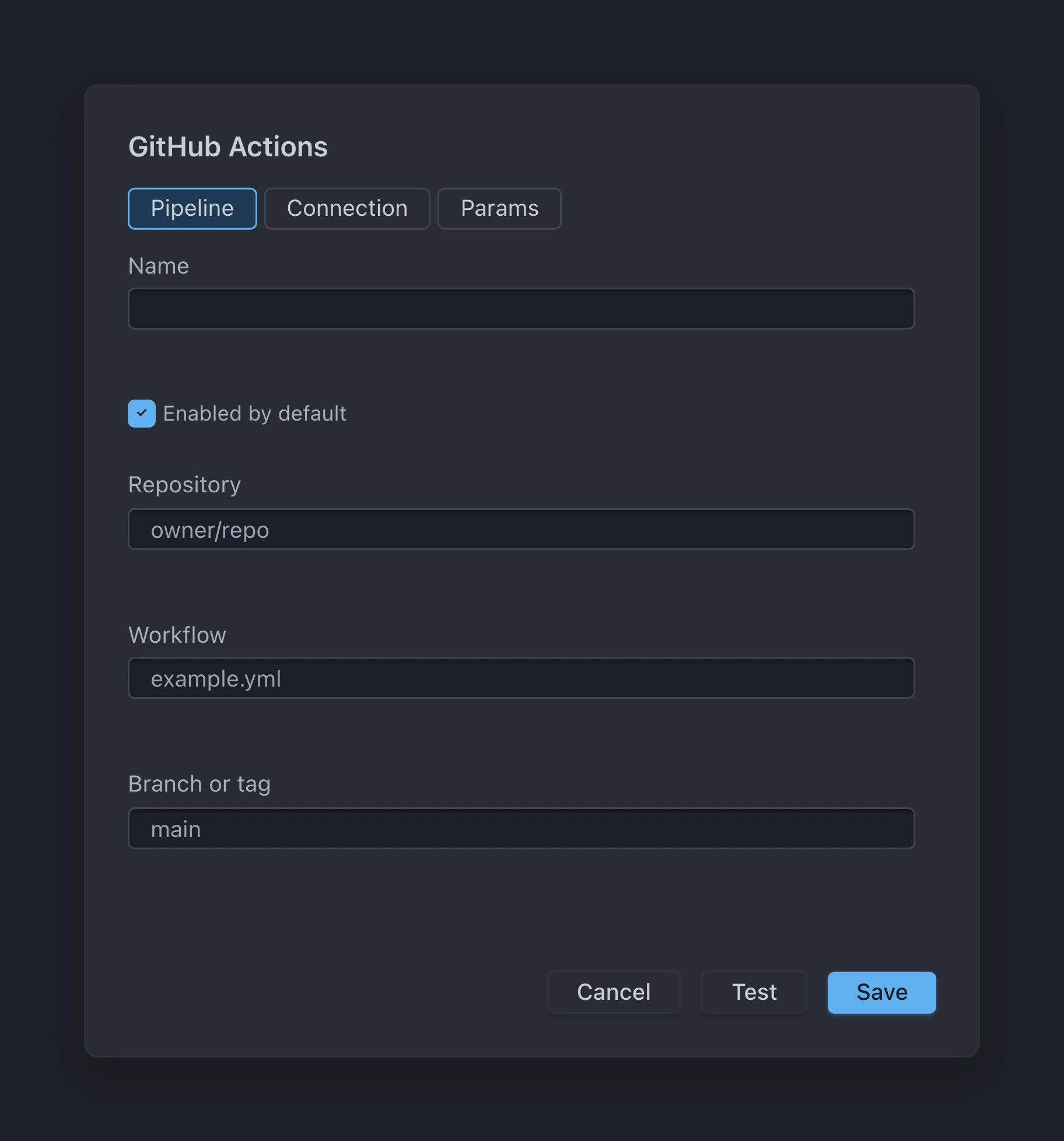
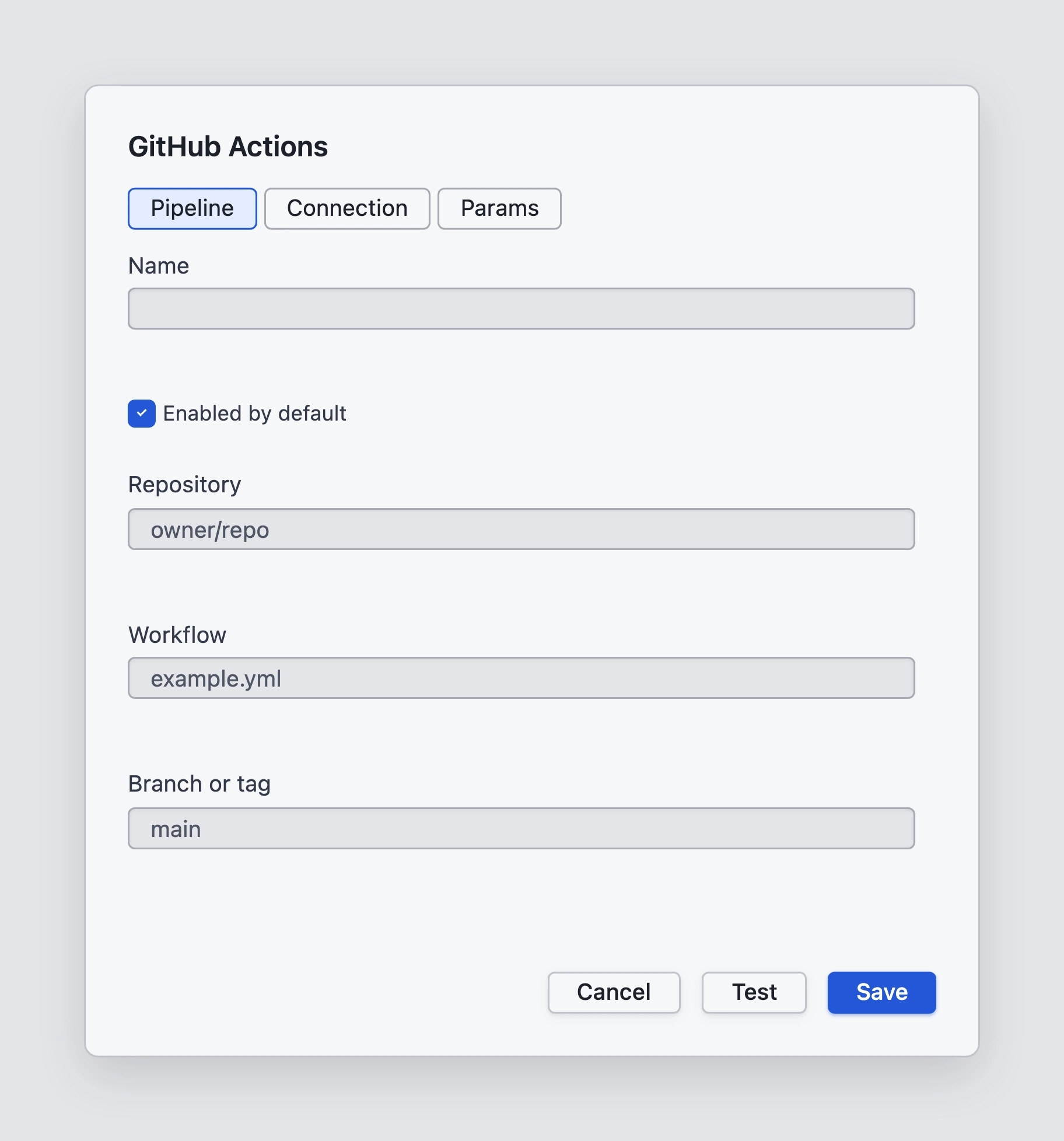
- Fill the Pipeline, Connection, and optional Params tabs, then save.
- When you Run or Rerun and the project has pipelines, Tracera opens the Run in CI dialog. Select up to 10 pipelines (pre-checked ones follow Default).
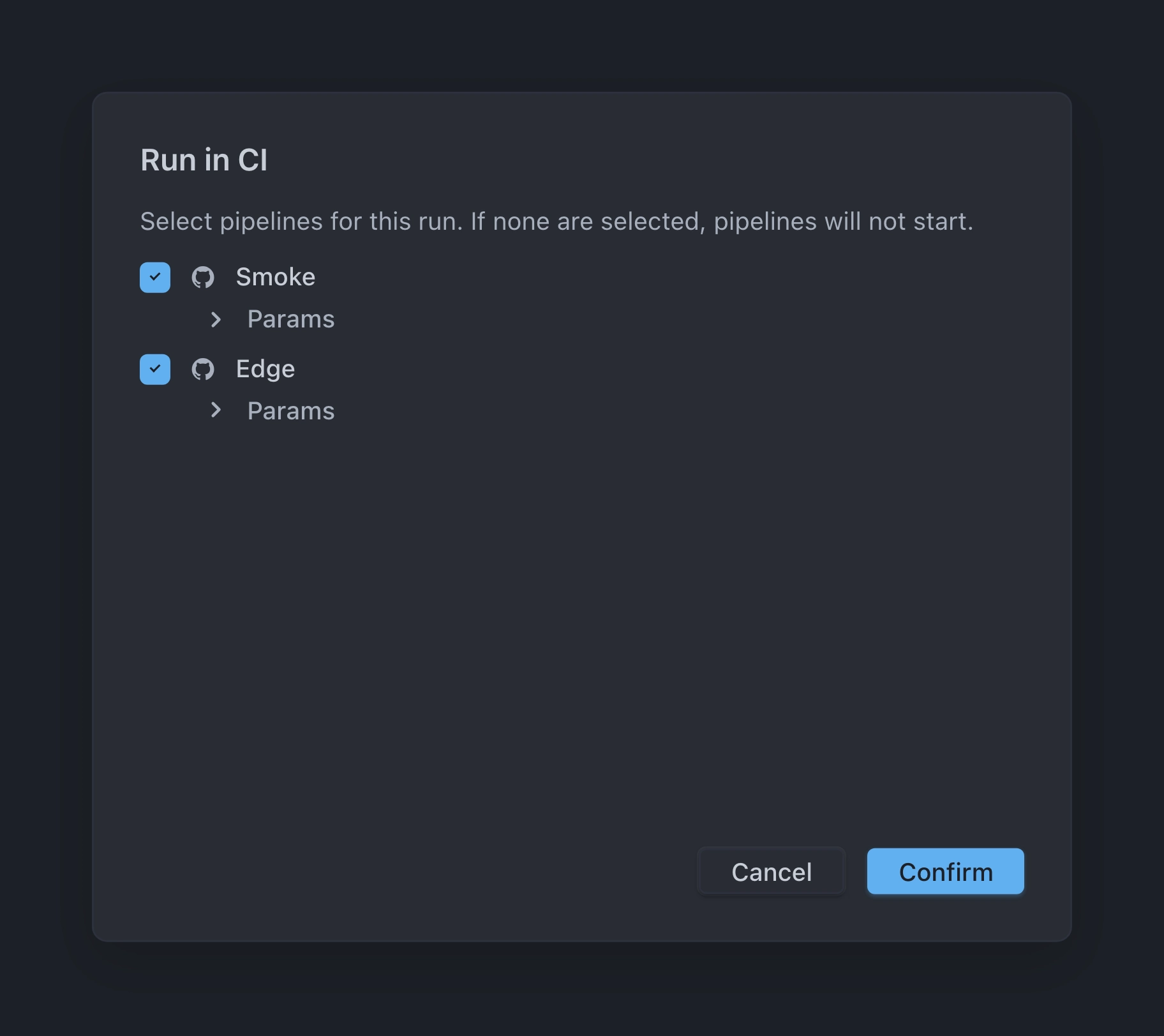
- Tracera creates the run, then triggers the selected pipelines. It always sends
TRACERA_TEST_RUN_ID,TRACERA_BASE_URL, andTRACERA_PROJECT_ID(UI overrides for those keys are ignored). Custom params from the pipeline are included. The Autotest Bearer is not sent. - In CI, map those values into the job environment, keep the Autotest token in secrets, and report with an adapter with
TRACERA_TEST_RUN_IDset.
Pipelines can share a connection. Updating the token on that connection updates every pipeline that uses it.
Providers
GitHub Actions
Pipeline: Repository (owner/repo), Workflow file (for example e2e.yml), Branch or tag. Optional Server URL (empty = api.github.com).
Declare TRACERA_TEST_RUN_ID, TRACERA_BASE_URL, TRACERA_PROJECT_ID, and any custom params as workflow_dispatch inputs in the workflow file. Otherwise GitHub rejects unexpected inputs.
Jenkins
Pipeline: Job URL (must include /job/… segments). Connection: Username and API token, plus the server from the job URL.
GitLab CI
Pipeline: GitLab project (path group/project or numeric id) and Branch or tag. Optional Server URL (empty = gitlab.com).
TeamCity
Pipeline: Build type id. Connection: Server URL (required) and token.
Azure Pipelines
Pipeline: Organization, Azure project, Pipeline id, and Branch. Optional Server URL (empty = dev.azure.com).
Related: Project settings, Tokens, Adapters.